

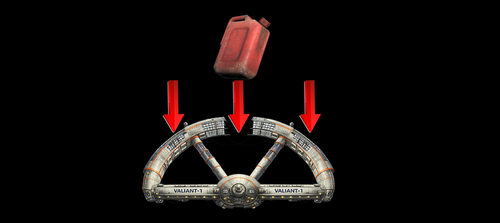
About This File
This mod, essentially, replaced the Mod/Texture with the Space station.
This method is common.
This makes gathering fuel canisters, easy and quicker, allowing the stage to be completed faster.
Installation Instructions:
Once you download the file, use anyone of the file extractors,
Winzip, PowerArchiver or even WinRar
Extract the file, in this case, the mod file is called, bigfuel.ba2
-
Locate the Data Folder: Find your Fallout 76 installation folder, specifically the
Datafolder (e.g.,Steam\steamapps\common\Fallout76\Data). -
Move the BA2 File: Drag and drop the downloaded bigfuel.ba2 mod file into this
Datafolder. -
Edit
Fallout76Custom.ini:-
Navigate to
Documents\My Games\Fallout 76. -
If
Fallout76Custom.inidoes not exist, create a new text file and name itFallout76Custom.ini. -
Open the file and add the following lines (or append to existing lines):
ini
[Archive] sResourceArchive2List = ModName.ba2,bigfuel.ba2 - Note: Separate multiple mods with a comma. (modname.ba2,modname2.ba2,modname3.ba2m,)
-
Navigate to
-
Launch the Game: Start Fallout 76; the mods should now be active.
Take note, some mods, like HUDplayerList or TextChat, need to be last on this list to run correctly.